



For a small business with a focused content plan, 6–10 original, editable layouts can be a useful starting scope. A simpler publishing plan may need fewer, while a business with several recurring formats may need more.
That range is a practical planning recommendation, not an industry standard.
The useful number depends on what you publish, how different those posts need to be, and who will edit them.
Before accepting a package offering “30 templates,” ask what the provider is counting. Thirty original layouts, thirty resized files, and thirty finished sample posts represent different deliverables.
Your aim is to cover recurring content needs with templates your team can use confidently.
Here is how to calculate a sensible scope and compare proposals without relying on the headline quantity.
Start With a Planning Range
Use these examples to begin a discussion with your designer. Adjust the scope against your actual content.
| Publishing situation | Illustrative starting scope | What to prioritize |
|---|---|---|
| A simple, focused publishing plan | 4–6 original layouts | The few content types you use repeatedly |
| Regular publishing across several content types | 6–10 original layouts | Core posts plus the recurring supporting formats |
| Several campaigns, offers, or distinct content structures | 10–15 original layouts, or a custom scope | Clear separation between everyday content and campaign needs |
These ranges refer to different reusable layouts, before counting size adaptations.
They also assume you are scoping primarily static post and slide designs. Video templates involve different production requirements and should be listed separately.
A business can publish frequently using a compact library. Another may publish less often but need several specialized layouts.
The content plan should explain the number.
Define What “One Template” Means
A template is a reusable design your team can update with new content.
For proposal comparisons, use the following working definitions.
| Deliverable | What it means |
|---|---|
| Original layout | A distinct reusable arrangement for a content purpose |
| Size adaptation | An existing layout adjusted for another agreed format |
| Style variation | A different approved treatment of an existing structure |
| Finished example | A template filled with sample or actual content |
| Published post | A completed piece of content shared on a channel |
Consider a fictional package containing five original layouts, each delivered in four format versions.
That produces 20 editable versions based on five original layouts.
The adaptations may involve useful design work, especially where the composition needs adjustment. Listing them separately helps you understand the scope.
Changing only a photograph, background color, or headline does not automatically create a new original layout.
Ask the provider to explain the counting method in the deliverable list.
Count Carousel Layouts and Slides Separately
Carousels can make package totals confusing.
A reusable carousel might contain:
- An opening layout.
- A supporting content layout.
- A closing layout.
Those are three reusable layouts.
A seven-slide finished carousel could use the opening once, the supporting layout five times, and the closing once.
That creates seven finished slides from three layouts.
A more complex carousel may need additional structures for comparisons, diagrams, quotations, or different information types. Those can be distinct deliverables when they serve a real need.
Ask whether the proposal counts reusable slide layouts, filled example slides, or both.
Also confirm whether the team receives a complete working sequence. An attractive cover needs supporting layouts if you plan to explain a process across several slides.
Work Out Your Needs Before Choosing a Package
A short content review can produce a more useful number than browsing package tiers.
Step 1: List the Content You Plan to Publish
Use a representative upcoming period.
Include educational posts, product or service introductions, work examples, announcements, events, and any regular video or story content.
Focus on realistic plans your team can maintain.
If you are still unsure about the audience, offer, or communication priorities, clarify those decisions through a brand strategy foundation before commissioning a large template collection.
Step 2: Group Content That Can Share a Structure
Several topics may use the same layout.
For example, different customer questions can share an educational post design. Several service introductions may use the same image-and-benefit arrangement.
Create a new layout when the information needs a meaningfully different structure.
Step 3: Identify Required Formats
List where each layout will be used.
Some need one format. Others need square, portrait, or vertical adaptations, depending on your channels and content plan.
Have the designer assess the changes needed rather than assuming every version is a simple crop.
Step 4: Check the Editing Workflow
Confirm the software, languages, image sources, and person responsible for creating posts.
A template that works for a professional designer may be difficult for a business owner updating content between other tasks.
Include everyday editing requirements in the scope.






Step 5: Review the Gaps
Ask which planned posts still cannot be created effectively.
Add layouts for repeated gaps. Occasional one-off campaign designs can be scoped separately when needed.
An Eight-Layout Starter Kit Example
The following is an illustrative set for a small service business that publishes static posts, occasional carousels, and vertical updates.
| Original layout | Intended use |
|---|---|
| 1. Educational post | Explain a question, tip, or useful idea |
| 2. Service introduction | Present a service and its main benefit |
| 3. Work or evidence showcase | Present genuine work details or approved feedback |
| 4. Announcement | Communicate an event, update, or availability |
| 5. Carousel opening | Introduce a multi-slide topic |
| 6. Carousel supporting slide | Develop the explanation |
| 7. Carousel closing | Summarize or introduce the next step |
| 8. Vertical update | Share a relevant short update or announcement |
This set contains eight original reusable layouts.
A product retailer might replace the service introduction with a product layout. A business that rarely publishes carousels could allocate those layouts to other recurring needs.
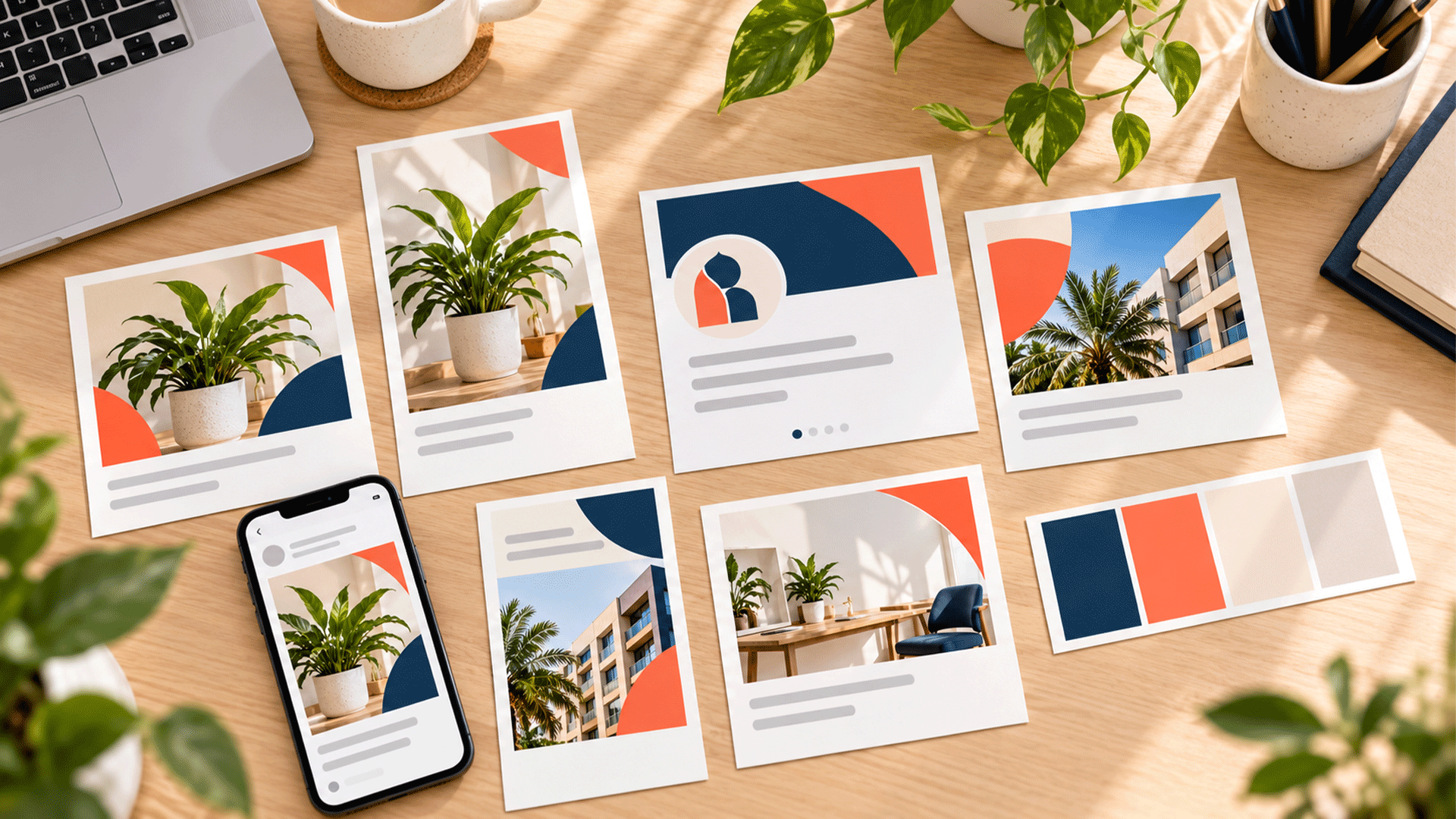
M4YOURS IT’s Social Media Branding Kit service describes reusable templates for announcements, promotions, educational content, and campaigns. The appropriate mix should follow the business’s requirements. M4YOURS IT
How Adaptations Change the Total
Suppose the four single-image layouts each require two format versions, while the three carousel layouts and one vertical layout each require one.
The deliverable becomes:
- Four single-image layouts × two versions = eight editable versions.
- Three carousel layouts × one version = three editable versions.
- One vertical layout × one version = one editable version.
Total: eight original layouts, four additional format adaptations, and twelve editable versions.
This description is more useful than calling the package “twelve templates” without explaining the breakdown.
Posting Frequency Does Not Set the Template Count
Publishing twenty posts does not require twenty different layouts.
Here is a fictional content plan showing how reuse could work:
| Content type | Finished posts in the example period | Reusable layouts |
|---|---|---|
| Educational content | 8 | 1 |
| Product or service offers | 4 | 1 |
| Work examples or evidence | 4 | 1 |
| Announcements | 4 | 1 |
| Total | 20 | 4 |
This example assumes the content within each group suits a shared structure. It is not a recommended posting schedule.
The ideas, copy, photographs, and information can change while the basic arrangement remains consistent.
Add another layout when the existing structure repeatedly fails to accommodate the content.
That might happen when a short tip becomes a detailed comparison, or when a single-product offer becomes a collection requiring several images.
What Can Increase the Number You Need?
Several genuine requirements can expand the scope.
Different Information Structures
A product specification, customer question, event announcement, and detailed process may need different arrangements.
Check whether the proposed layouts accommodate the information customers need.
Multiple Languages
Bangla and English content can require different line lengths, font choices, spacing, and text placement.
Sometimes one flexible layout handles both. Sometimes a carefully adjusted version is useful.
Test actual wording before deciding how many versions to commission.
Several Product or Service Lines
Different offers may need different content structures.
However, a new product category does not automatically require a completely separate template system. Review what can remain shared.
Campaign Requirements
A launch or event may need supporting artwork that everyday templates cannot handle.
Define which campaign assets are reusable and which are one-off deliverables.
Video Production
Video covers, captions, animated titles, and closing frames involve different requirements from static graphics.
Specify what is editable, which software is needed, and whether animation or editing support is included.
A small number of video assets can still represent substantial work.
Judge Quality Through Real Editing
A template earns its place when your team can use it for actual content.
Test representative examples before approving the set.
Try a longer headline, a shorter headline, an image with a different composition, and realistic supporting information.
Check what happens when a price changes, a service name wraps onto another line, or the team replaces an image.
Review the result on a phone at normal viewing size.
The W3C’s designing for web accessibility guidance recommends sufficient text contrast and using additional cues when color communicates information. These principles are useful when reviewing your templates too. W3C
For example, indicate availability with clear wording rather than relying only on a colored label.
Ask your everyday content creator to complete an edit and export. Their experience can reveal problems that a polished presentation hides.
Keep Other Branding Assets Visible in the Scope
A social media branding kit may include profile images, banners, icons, highlight covers, and design guidance.
These can be useful deliverables, but they serve different purposes from reusable post layouts.
YouTube’s official channel branding guidance, for example, lists the profile picture, banner, and video watermark as separate channel branding elements. YouTube Help
Ask for a complete asset list that separates:
- Original post and slide layouts.
- Format adaptations.
- Video assets.
- Profile and channel graphics.
- Icons or other supporting elements.
- Guidance, editable files, and finished examples.
This helps you see the value of the whole kit while keeping the template count understandable.

What Should the Handover Include?
Confirm that the delivered files match your team’s workflow.
You should know which software is required, which fonts and subscriptions are needed, and how to access any linked assets.
Ask for clearly named files, approved master copies, export instructions, and examples of suitable edits.
Identify any usage restrictions affecting photographs, fonts, or other third-party materials.
A short guide should also explain when to use each layout.
If two templates serve almost the same purpose, the guide should make the distinction clear. Otherwise, the team may spend unnecessary time choosing between them.
Agree on the delivered file types and editing access before work begins.
Add Templates When Repeated Needs Appear
After the kit enters use, keep a simple record of which layouts the team chooses and where editing becomes difficult.
Useful reasons to add a template include:
- A recurring content type has no suitable structure.
- The team repeatedly rebuilds the same part of a design.
- A new regular format needs a different composition.
- An additional language requires an adjusted layout.
- A campaign introduces a reusable communication need.
Also review templates that remain unused.
They may need better instructions, a more relevant example, or removal from the everyday selection.
A manageable library should become easier to use as the team learns what works.
Questions to Ask Before Buying
Use these questions to make a proposal specific:
- How many original reusable layouts are included?
- Which content purpose does each layout serve?
- How many format adaptations are included?
- How are carousel layouts and finished slides counted?
- Are video assets and profile graphics listed separately?
- Which files can our team edit, and in what software?
- Are sample content, instructions, and a handover session included?
- What happens when we need an additional layout later?
Also clarify whether copywriting, photography, publishing, and community management are included.
If you need ongoing production support, discuss content and social media marketing services alongside the design scope.
FAQ
They can be, if those layouts cover the content you publish regularly.
Check the purpose and usability of each one. Ten similar designs may leave important gaps, while a smaller varied set may suit your plan.
You need suitable versions for the destinations you use.
Some designs can share a structure, while others require more substantial adaptation. Check current platform requirements and preview the finished files.
Only when the counting method says so.
Ask whether the provider is counting distinct reusable layouts or individual filled slides. Repeated use of one body layout creates additional slides without creating additional original layouts.
Yes, when they fit your content and can be adapted into a coherent identity.
Check editing access, usage permissions, language support, and how much customization your team needs.
Allow for needs you can reasonably identify.
Keep the system expandable, then add layouts when a real requirement appears. Agree on the process for future additions with your designer.
A useful template count follows from the content your business needs to create.
Start with recurring content types, group what can share a structure, and list required adaptations separately. Then test the working files with your team.
M4YOURS IT can help you scope a Social Media Branding Kit around your content plan, priority channels, and editing capacity.
Share examples of the posts you expect to publish and request a clear breakdown of original layouts, adaptations, supporting assets, and handover requirements.
A new brand faces a practical challenge: customers want reassurance, while the business is still building a record of customer experiences.
You may have a clear offer, capable people, and a genuine commitment to service. A first-time buyer still needs enough information to decide whether to take the next step.
Start with verifiable business details, tangible examples, transparent terms, and reliable interactions. Let customer reviews grow from the experiences you deliver.
Reviews remain useful, but your website, communication, and purchasing process can already give people meaningful information about your business.
What First-Time Customers Need to Understand
Before committing, a buyer may want to know:
- Who is behind the business?
- Does the offer fit their needs?
- What will they receive and pay?
- What happens after they order or agree to a project?
- How can they get help if something goes wrong?
These questions provide a useful starting point for a new brand. Make the answers easy to find and check.
The following nine steps focus on evidence and execution that you can develop before you have a large collection of reviews.
1. Make the Business and Its People Identifiable
Introduce the business clearly through an About page, a company introduction, and reliable contact details.
Explain what you do, who is responsible for the work, and where or how you serve customers. Include relevant founder or team backgrounds and accurately described qualifications.
If the business is new, say so. A founder’s previous experience can be valuable, provided the role and context are clear.
Use accurate location information. If you work remotely or serve a particular area, describe that arrangement rather than implying that customers can visit an office that is not available to them.
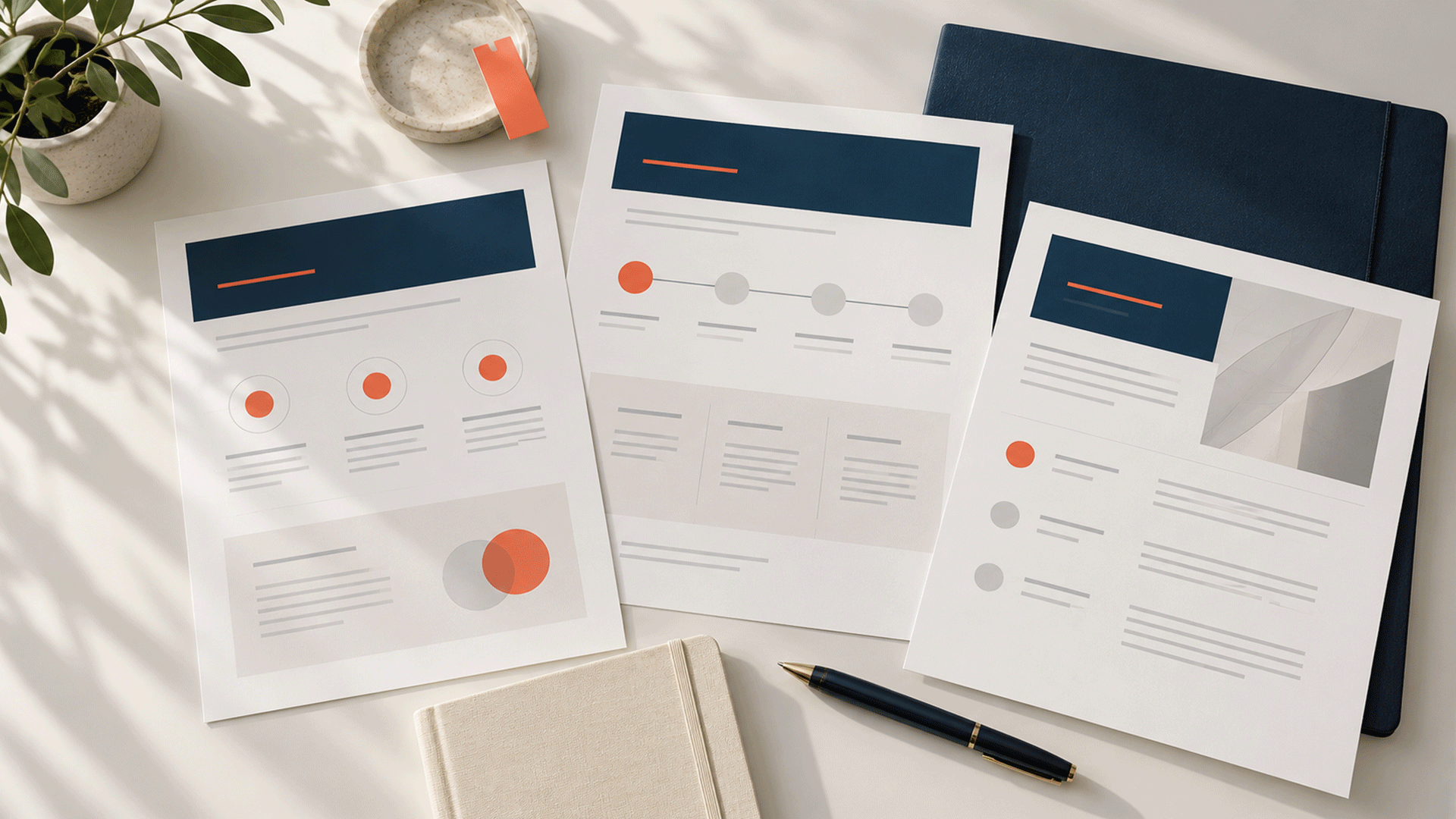
A company profile design can help organize genuine business information into a useful introduction.
2. Explain the Offer in Plain Language
Broad claims such as “premium solutions” give buyers little information to assess.
Explain who the offer is for, what it includes, and the next step. State important limits as well as benefits.
For example, a new website agency can describe the pages, enquiry forms, booking features, and revision process included in a project. A retailer can provide accurate product details and explain how ordering works.
For custom services, tell people what information you need to prepare a quote. Provide enough detail for them to understand the service before requesting a lengthy enquiry.
If your audience and offer are still unclear, brand strategy and foundation can help define a consistent direction.
3. Show Evidence of What You Can Do
A customer can inspect useful evidence before there are many testimonials.
Depending on the business, this could include:
| Evidence | What it helps a buyer assess |
|---|---|
| Product photographs and demonstrations | Appearance, features, and how the product is presented |
| Work samples or a live demo | The quality and function of the proposed service |
| A documented process | How the work or order will move forward |
| Relevant qualifications with verification details | The background of the person providing the service |
| Clearly attributed previous work | The founder or team member’s actual role and experience |
Label concept projects, demonstrations, and illustrative images accurately. Distinguish them from completed customer work.
If you show work from a previous role, explain your contribution and use examples you have permission to publish. Do not present that work as a project completed by the new company if it was not.
A small amount of specific, checkable evidence gives people something concrete to evaluate.



4. Create a Consistent, Working Brand Presence
Your website, social profiles, proposals, and emails should feel like they belong to the same business.
Use approved logo versions, a shared palette, readable typography, and consistent business details. Check menus, contact links, forms, and mobile layouts.
Nielsen Norman Group’s website credibility research identifies design quality, upfront information, and complete, current content among the factors people use to assess trustworthiness. NN/G
A corporate identity design system can help your team apply a consistent visual direction across business materials.
Presentation supports the first impression. The information and service behind it still need to be accurate and reliable.
5. Make Costs, Timelines, and Policies Understandable
Uncertainty about what happens next can make a first purchase difficult to assess.
Explain the details that matter for your offer:
| Area | Information to make clear |
|---|---|
| Price | What the quoted price includes and any additional charges |
| Delivery or completion | Expected timing and what may affect it |
| Payment | When payment is due and the methods available |
| Changes | How revisions, order changes, or scope changes are handled |
| Returns or cancellation | The policy that applies and how to request help |
| Support | The channel customers should use and the expected response window |
For a service project, put the agreed scope and payment stages in writing. For an online shop, make order and delivery information accessible before checkout.
Use policies your team can actually follow. Review the website when the process changes so customers receive current information.
6. Make Contact Easy and Respond Reliably
A first-time buyer may have a question that the page does not answer.
Provide suitable direct contact options alongside any form or chat tool. Nielsen Norman Group’s Contact Us research found that users expect practical company contact information, including phone numbers, email addresses, and relevant address details. NN/G
State when your team is available and when a customer can expect a reply. Choose response commitments you can maintain.
Test the contact journey yourself. Submit a form, check where it arrives, and confirm that someone is responsible for responding.
A clear, useful answer to an early enquiry is an opportunity to demonstrate how the business works.
7. Offer a Manageable First Step
Some buyers need more information or a smaller initial commitment before proceeding.
Nielsen Norman Group’s hierarchy of trust explains that a website’s requests for information or commitment should match the trust it has established. NN/G
Depending on the offer, a first step might be:
- An introductory conversation.
- A product demonstration.
- A sample or small initial order.
- A paid pilot with a defined scope.
- A clear proposal the customer can review before agreeing.
Explain any cost, conditions, and outcome of that step. Make it worthwhile on its own.
Choose an option your business can support. Samples or trial offers should not require a positive review in exchange.
8. Keep the Promises You Make in Small Interactions
Your early interactions give customers direct experience of the business.
If you promise a proposal by a particular day, deliver it or communicate the change. If an order is delayed, provide an accurate update. If someone asks a question, answer the question rather than sending a generic sales response.
Useful ways to demonstrate follow-through include:
- Confirming the agreed requirements.
- Providing the promised information.
- Explaining the next step.
- Keeping customers informed about relevant changes.
- Following up after delivery to identify unresolved issues.
Document the process so it does not depend entirely on one staff member remembering every task.
The experience should match the expectations created by your marketing.
9. Request Genuine Reviews After Real Experiences
Build review requests into an appropriate point in the customer journey.
Ask for honest feedback after the customer has enough experience to comment. Make the process easy and optional, and respond professionally to the feedback you receive.
For Google reviews, its review policies prohibit incentives, selectively soliciting positive reviews, and pressuring people to provide particular ratings or content. Its review guidance explains how businesses can invite customers to share genuine experiences. Google Business Profile Help
For testimonials on your own website, obtain permission for the quotation and any identifying details. Preserve the meaning and accurately describe the experience.
Do not invent testimonials, customer counts, ratings, or client relationships to fill an empty section. Use genuine evidence and clear business information while the review record develops.
Practical Examples for Different New Brands
The following are illustrative options to explore.
| New business | Evidence and reassurance to prioritize |
|---|---|
| Website or design agency | Demonstrations, accurately attributed samples, clear deliverables, and a documented project process |
| Skincare retailer | Accurate product information, actual product and packaging photographs, order instructions, and accessible support |
| Education consultancy | Identifiable advisers, clearly described services, sample planning tools, and realistic process explanations |
| Professional consultancy | Relevant backgrounds, examples of the work format, clear scope, and written terms |
| Local service business | Service-area information, work examples, appointment details, and a reliable contact channel |
Choose the evidence that helps buyers assess your actual offer. A collection of unrelated badges or generic claims gives them less useful information.
A New Brand Trust Checklist
Ask someone unfamiliar with the business to explore your website and try the first steps a customer would take.
| Check | What the person should be able to do |
|---|---|
| Business identity | Understand who provides the product or service |
| Offer clarity | Explain what they would receive |
| Evidence | Find a relevant example, demonstration, or verifiable detail |
| Costs and timing | Understand the price basis and expected process |
| Contact | Reach the business through a working channel |
| Support | Find what to do if they have a problem |
| First step | Understand the commitment involved |
| Follow-through | Receive the information or response you promised |
Observe where they hesitate or search repeatedly. Those points can reveal missing information or an unclear process.
Also check the operational side: someone must receive the enquiry, prepare the order or proposal, and handle support requests.
A Practical First-Month Plan
Use the first month to establish a credible, usable customer journey.
- Week 1: Clarify the offer and update business introductions, contact details, pricing explanations, and relevant policies.
- Week 2: Prepare genuine work examples, demonstrations, or product information, with accurate labels.
- Week 3: Test the enquiry, ordering, payment, and support process. Correct gaps in ownership or communication.
- Week 4: Review the first customer experiences, resolve outstanding issues, and invite eligible customers to share honest feedback.
Track unanswered questions, response times, delivery issues, and how people use the first-step offer. These observations can guide improvements.
A completed checklist does not guarantee that every visitor will trust the brand. Continue checking whether the promises, information, and actual experience match.
FAQ
They may consider it when they can understand the offer, verify relevant information, inspect useful evidence, and access reliable support. Different buyers will need different levels of reassurance.
Clearly explain whose work it was, the role you played, and when it was completed. Use material you are permitted to publish and avoid implying that the new company delivered it.
No. Google prohibits offering incentives such as discounts or free goods in exchange for reviews. A trial or promotional offer should be separate from a review request. Google Business Profile Help
A coherent identity can support presentation and recognition. Buyers also need accurate information, relevant evidence, clear terms, and an experience that matches the offer.
Prioritize the offer explanation, business and contact details, relevant proof of capability, and the first customer interaction. Confirm that the team can deliver the commitments shown on the website.
M4YOURS IT’s branding services cover positioning, messaging, visual identity, and consistent business materials. M4YOURS IT
Explore our brand strategy and foundation services to discuss your audience, offer, and current materials. We can help organize a clear brand direction and the assets your team needs to communicate it consistently.