



Your first social media branding assets should help customers recognize your business, understand what you offer, and take the next step.
For most small businesses, the starting point is a usable profile image, clear profile information, a simple visual direction, and reusable templates for everyday content. Add banners and other formats according to the channels you actually use.
The right order depends on how your business communicates. A retailer needs a reliable way to present products. A service company needs to explain its offer and show credible work. A business publishing mostly video needs assets that support video production.
Start with the assets your team will use repeatedly, then expand when a specific publishing need appears.
Here is a practical way to decide what deserves your first design budget.
A Practical Priority List
Use this sequence as a starting recommendation. Move an item earlier when it supports your main content format or an immediate launch requirement.
| Priority | What to create | Why it matters |
|---|---|---|
| Foundation | Basic messaging, colors, typography, and existing asset review | Gives later design decisions a clear direction |
| 1 | Profile-ready logo or suitable brand image | Makes the business identifiable |
| 2 | Profile copy, contact details, and destination link | Explains the offer and next step |
| 3 | Cover or banner artwork where relevant | Supports the introduction on active channels |
| 4 | Reusable templates for recurring content | Helps your team publish consistently |
| 5 | Story, carousel, or video assets as needed | Supports the formats you actually produce |
| Handover | Approved image folder, quick guide, and editable files | Makes the assets usable after delivery |
A complete kit can contain much more. Your first purchase should cover your immediate communication needs and your team’s ability to maintain them.
Before Designing: Establish a Small Working Foundation
Collect what your business already has: logo files, website colors, fonts, photographs, useful content, and previous designs.
Check whether these materials still represent the business. If your website and printed materials already use a coherent identity, extend that identity into social media.
Then write a short working brief:
- Who are you trying to reach?
- What product or service should they understand first?
- Why might they choose your business?
- What action should they take?
- Who will create and approve the content?
Choose a manageable color palette and define which fonts handle headings and supporting text. Test the actual languages you publish, including Bangla and English where relevant.
These decisions do not need to become a large document before you can begin. They need to be clear enough that your designer and content creator can make consistent choices.
If the audience, offer, and positioning remain uncertain, a brand strategy foundation can help establish the direction before you invest in extensive template production.
1. Create a Profile Image That Works at Small Sizes
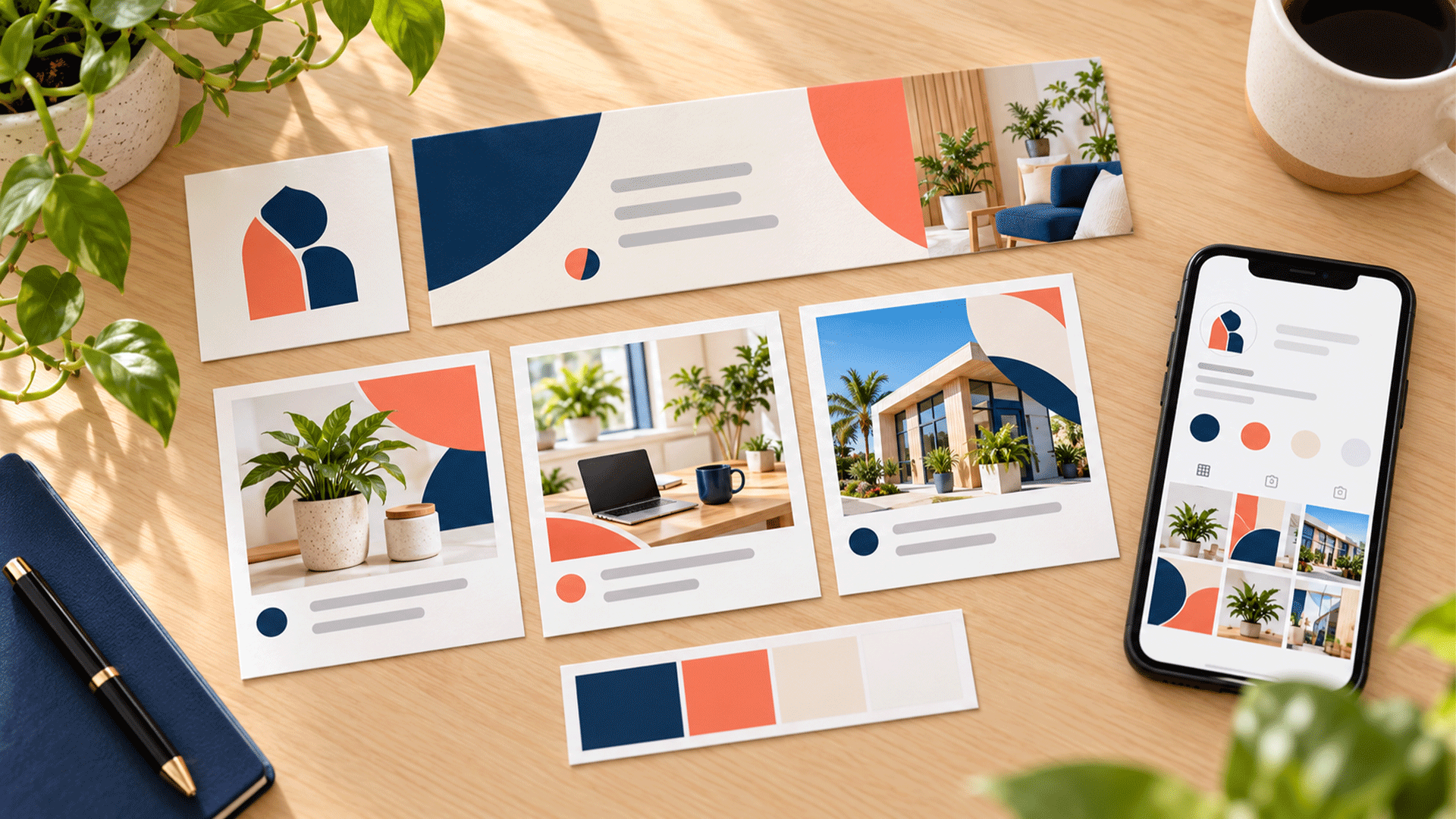
Your profile image needs to remain identifiable when it appears much smaller than the original artwork.
For a business brand, an existing logo may work well. A personal brand may use a suitable professional photograph. Choose according to how customers identify the business.
Test the image in its actual profile context.
A detailed horizontal logo can become difficult to read when squeezed into a small avatar. Ask whether an approved compact version, symbol, or monogram would work better.
Avoid casually redrawing the logo just to make it fit. If a variation is needed, have it prepared consistently with the existing identity.
Your first profile asset should include:
- A suitable master image.
- Versions prepared for the intended channels.
- Enough space around the important content.
- A background that keeps the mark or face visible.
- A preview at realistic display size.
Use the approved identity consistently so customers can connect your profiles with your website and other materials.
2. Prepare Your Profile Copy and Contact Path
Profile copy belongs in the starter set even though it is a written asset.
A visitor should be able to understand what you do, who you help, and how to contact you.
Prepare a concise description, an approved business name, relevant location or service area, and a clear next step.
For example, this fictional service business could say:
“Website design for growing retail businesses. Explore our work and request a project consultation.”
The wording identifies the service, audience, and action.
Choose a destination that matches the promise. A profile inviting visitors to book a consultation should lead to a working booking or enquiry route.
Check the link and contact details yourself. Ask someone unfamiliar with the business to find the next step without explanation.
Keep a master copy document so your team can update profile information consistently when your offer, location, or contact route changes.
3. Design Covers and Banners for Active Channels
Create cover or banner artwork for the channels where your business needs it.
A useful banner can introduce your main offer, show a representative product or service, or reinforce your positioning. Keep the message focused enough to remain understandable in the available space.
Prepare the artwork for its actual destination.
YouTube’s official channel branding guidance explains that a banner appears differently across devices and can be cropped in certain views. This is a practical reason to check previews and keep important content within the intended display area. YouTube Help
Use the same checking habit for other profile artwork.
Confirm the current requirements before exporting, and inspect the uploaded result on the devices your customers use.
A banner can also create maintenance work. If it includes a limited offer or event date, assign someone to update it when the information changes.



4. Build Templates Around Your Most Frequent Content
Reusable post templates deserve an early place because your team may use them every week.
Start by reviewing the content you expect to publish. Choose layouts that serve those recurring communication tasks.
M4YOURS IT’s Social Media Branding Kit service includes reusable templates for content such as announcements, promotions, and educational posts, alongside profile graphics and design guidance. Your initial scope can focus on the formats your business needs first. M4YOURS IT
For a typical service business, the following three template types could form a useful starting set. This is an example, not a required template count.
An Educational Template
Use this to explain a common customer question, process, or useful idea.
It needs room for a readable headline and a supporting visual. Longer explanations can continue in the caption or another suitable format.
A Product or Service Template
Use this to introduce an offer, explain a feature, or communicate availability.
The layout should accommodate the information customers need to decide what to do next. That may include a product image, service benefit, price where appropriate, and an enquiry instruction.
A Proof or Work Showcase Template
Use this for genuine project examples, approved customer feedback, or relevant work details.
Design it around evidence you actually have. If you do not have testimonials, a process explanation or an accurately described sample may be more useful.
Test every template with real content. Try different headline lengths, images, and message types.
A reusable template should accommodate everyday changes without requiring your team to rebuild the design.
5. Add the Next Format According to Your Publishing Habits
Choose the next assets by looking at what your team can produce and what your customers need to understand.
When Stories Are a Regular Format
Create adaptable vertical layouts for updates, announcements, or common questions.
Leave room for the platform interface and any interactive elements you plan to add. Check the preview before publishing.
Story assets deserve an early place when your team already uses them regularly.
When Your Content Needs Several Steps
Build a carousel system with an opening, supporting slides, and a closing action.
A cover alone does not give your team enough structure to explain a process or comparison.
Test a complete example so the sequence, text lengths, and final action work together.
When Video Is Your Main Format
Prioritize a readable caption style, consistent cover treatment, and any useful closing frame.
A business recording demonstrations or answering questions on camera may need these before a large collection of static post layouts.
The priority should follow the content your team can sustain. Keep the initial video assets simple enough to use during normal production.
6. Assemble an Approved Image Folder
Templates work better when the team has suitable images ready to use.
Create a small, organized collection of relevant photographs and approved visual material.
Depending on the business, this could include:
- Clear product photographs.
- Team and workplace images.
- Relevant service or process photographs.
- Accurate screenshots of work.
- Approved project examples.
Record any usage restrictions and confirm permission where needed, especially for identifiable people and client materials.
Choose images that show the business meaningfully. A polished template cannot explain a product if the photograph hides its important details.
Also check that images work within the intended layouts. Leave suitable space around the subject and avoid crops that remove essential information.
As your library grows, organize files by subject or use so your team can find them quickly.
7. Deliver a Quick Guide and Editable Files
Treat handover as part of the starter kit.
Your team needs to know which files to use, what can change, and how to export a finished post.
A short practical guide can cover:
- Approved logo and profile image versions.
- Color values and font choices.
- Headline, image, and logo placement.
- Examples of suitable template edits.
- Export instructions for the agreed formats.
- File locations and approval responsibility.
Confirm that the person creating posts can open and edit the source files. Identify any required subscriptions, fonts, or other dependencies before delivery.
Keep an approved master copy of each template and make working copies for new content.
Then run a handover exercise: ask your content creator to produce a fresh post using the files and instructions.
Any confusion that appears during that exercise is useful feedback for improving the kit.

Include Readability and Accessibility From the Start
Readable content needs to be part of the original design decisions.
Check text at normal viewing size on a phone. Keep backgrounds from competing with important words, and give headings and supporting information a clear reading order.
Include a habit for writing useful image descriptions where the platform supports them.
The W3C’s writing for web accessibility guidance recommends meaningful text alternatives for informative images and captions for audiovisual content. Use that guidance when preparing your publishing process. W3C
For a graphic announcing an event, make the event details available in the accompanying text as well.
For video, review captions for accuracy, including names, technical terms, and Bangla or English wording.
Make these checks repeatable so each new post benefits from the same care.
Adjust the Starter Set to Your Business
Different businesses need different content structures.
| Business situation | Assets to prioritize |
|---|---|
| Product retailer | Product photography, clear offer layouts, availability updates |
| Service provider | Service explanations, work examples, enquiry instructions |
| Education or consultancy business | Question-led posts, process explanations, event information |
| Video-led personal brand | Consistent profile image, video covers, readable captions |
| Local business | Clear location and contact information, relevant photographs, update templates |
Use this table to adapt the starter set rather than purchasing every format listed.
For example, a fictional consultancy could begin with an avatar, clear profile copy, relevant banner artwork, an FAQ layout, a service layout, and a consultation announcement format.
A retailer might put product photography and a practical product layout ahead of an educational carousel.
Both approaches can work when they match the actual publishing plan.
What Can Wait Until You Need It?
Custom stickers, extensive icon libraries, elaborate animated openings, seasonal campaign collections, and numerous decorative variations can be added later.
Highlight covers may also be a later purchase if your team has not yet created useful content to organize behind them.
Move an asset forward when there is a specific reason to use it: a launch, recurring series, customer question, or production problem.
Before buying another template, ask:
What content will this help us publish, and how often will we use it?
If the answer is unclear, review your current assets and content needs first.
Write a Brief That Produces a Useful Starter Kit
Give your designer practical information:
- Your business offer and priority audience.
- Your active channels and main content formats.
- Existing brand files and relevant photographs.
- Examples of the posts you need to create.
- Languages and editing software your team uses.
- The person responsible for editing and approval.
- Required editable files, exports, and instructions.
Ask for a deliverable list that distinguishes original layouts from resized versions.
Also clarify whether writing captions, producing photographs, publishing posts, or managing messages is included.
If you need help maintaining the content after the kit is delivered, discuss content and social media marketing support as part of a separate or combined scope.
FAQ
They may consider it when they can understand the offer, verify relevant information, inspect useful evidence, and access reliable support. Different buyers will need different levels of reassurance.
Clearly explain whose work it was, the role you played, and when it was completed. Use material you are permitted to publish and avoid implying that the new company delivered it.
No. Google prohibits offering incentives such as discounts or free goods in exchange for reviews. A trial or promotional offer should be separate from a review request. Google Business Profile Help
A coherent identity can support presentation and recognition. Buyers also need accurate information, relevant evidence, clear terms, and an experience that matches the offer.
Prioritize the offer explanation, business and contact details, relevant proof of capability, and the first customer interaction. Confirm that the team can deliver the commitments shown on the website.
M4YOURS IT’s branding services cover positioning, messaging, visual identity, and consistent business materials. M4YOURS IT
Explore our brand strategy and foundation services to discuss your audience, offer, and current materials. We can help organize a clear brand direction and the assets your team needs to communicate it consistently.