



Your designer sends a folder of attractive social media graphics. The colours match your logo, and the preview looks impressive.
Then your team tries to create next week’s posts.
The headline does not fit. Nobody knows which font to use. The story version is missing, and the files cannot be edited in the software your team has.
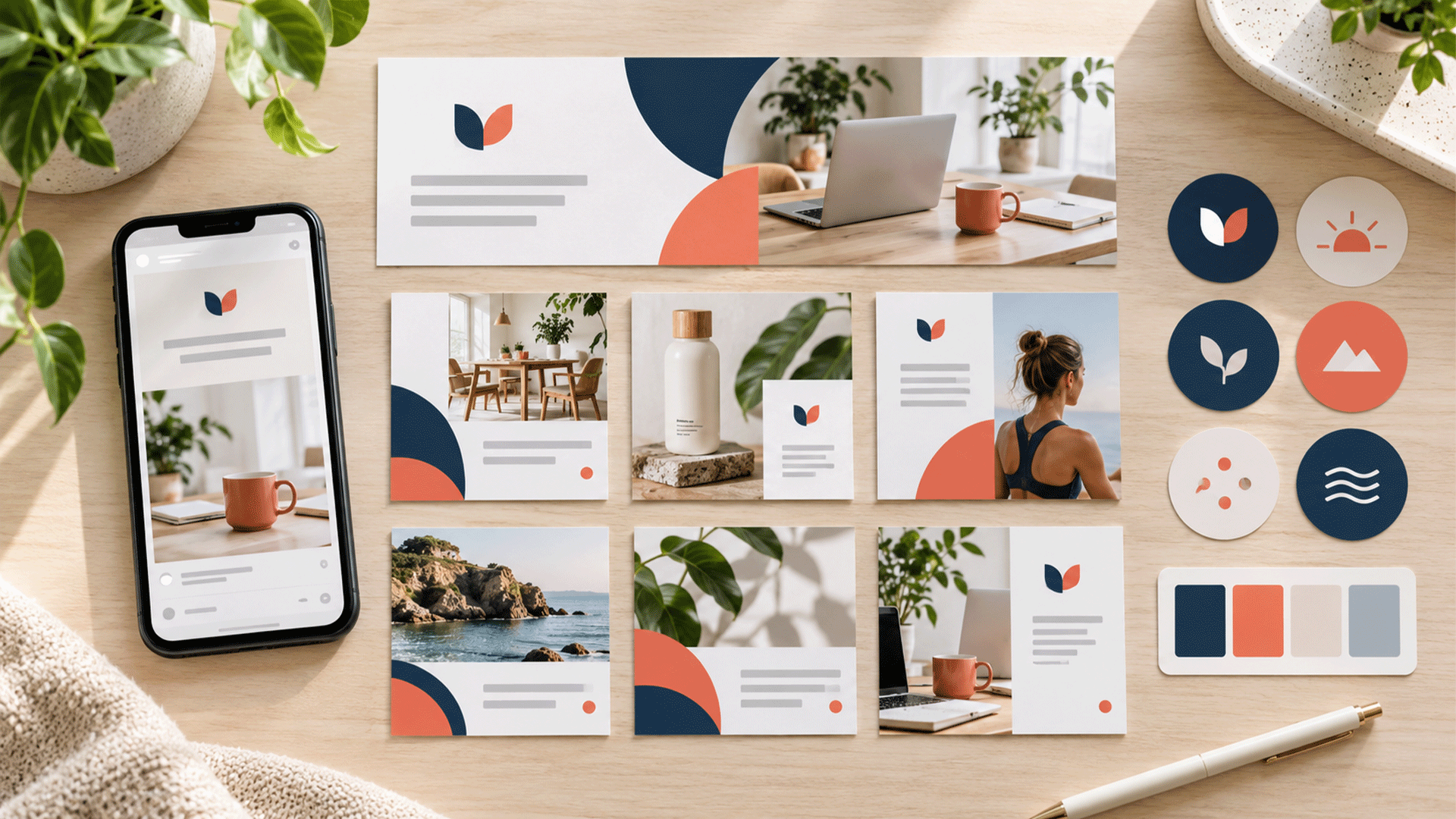
A complete social media branding kit should help your business produce new content consistently after the initial designs are delivered.
It should include approved brand assets, profile graphics, reusable post and story templates, relevant video assets, practical design guidelines, and editable files your team can actually use. The exact contents should reflect your platforms, content types, and production workflow.
Here is a practical checklist for assessing what belongs in the package.
What Is a Social Media Branding Kit?
A social media branding kit translates your brand identity into assets and rules for social publishing.
It gives your team a consistent way to introduce the business, present information, promote offers, and adapt content across placements.
The kit may support Facebook, Instagram, LinkedIn, YouTube, or other channels your business actively uses.
Completeness comes from covering your real publishing needs. A small business using two platforms may need a more focused package than a business producing daily posts, educational carousels, product launches, and videos.
Start by listing those needs before counting templates.
The Core Deliverables at a Glance
| Component | What to receive |
|---|---|
| Brand foundations | Approved audience, positioning, messages, and visual direction |
| Logo assets | Suitable versions for avatars, overlays, and different backgrounds |
| Profile graphics | Platform-specific profile images, covers, and channel artwork |
| Post templates | Editable layouts for recurring content types |
| Carousel templates | Opening, information, and closing slide layouts |
| Stories and vertical content | Layouts designed for vertical viewing and interface overlays |
| Video branding | Relevant covers, captions, title treatments, and motion components |
| Visual asset library | Approved imagery, icons, shapes, and other reusable elements |
| Messaging guidance | Bios, tone examples, caption structure, and calls to action |
| Design guidelines | Practical rules and completed examples |
| Handover files | Editable masters, exports, permissions information, and instructions |
| Maintenance process | Named owner, version control, and update responsibilities |
Agree which components are included, how many original layouts will be created, and which platform adaptations are required.
1. A Clear Brand Foundation
Before designing the kit, confirm who the business serves, what it offers, and how it should communicate.
Prepare a short reference covering:
- Your priority audience.
- The main offer or value proposition.
- Core messages and supporting evidence.
- Brand personality and tone.
- The action you want audiences to take.
These decisions help the designer choose suitable imagery, layouts, and content emphasis.
If your positioning is unresolved, brand strategy and foundation work can help establish the direction before template production begins.
A kit can apply an existing strategy. Developing that strategy should be an explicit part of the scope when needed.
2. Social-Ready Logo and Avatar Assets
Include the approved logo versions needed for social use.
This may include a primary logo, compact symbol, light and dark versions, and transparent exports for suitable placements.
Check whether the mark remains recognizable at a small display size and within the relevant crop. A detailed horizontal logo may need an approved compact alternative for an avatar.
Document acceptable backgrounds, clear space, and minimum practical display size.
Avoid allowing each team member to invent a different logo arrangement.
If the existing logo needs redesigning, agree that work separately. Preparing social exports and creating a new identity involve different deliverables.
3. Profile Images, Covers, and Channel Artwork
List the platforms and account types your business actually uses.
Include the relevant profile images, page covers, channel banners, and other persistent branding graphics.
Check the composition in the platform preview. Important wording or logos should remain visible when the image is displayed differently across devices.
For example, YouTube’s official channel branding guidance explains that a banner appears differently on computers, mobile devices, and televisions, with cropping in some views. YouTube Help
Ask for platform-specific exports and editable masters. Record when specifications were checked so future updates have a clear reference point.




4. A Practical Colour and Typography System
Your kit should explain how to use the brand palette and fonts within social content.
Include primary colours, supporting colours, background options, and approved text combinations. Provide usable colour values.
Define heading, subheading, body text, and small reference-text styles. Show how these work with both short and longer content.
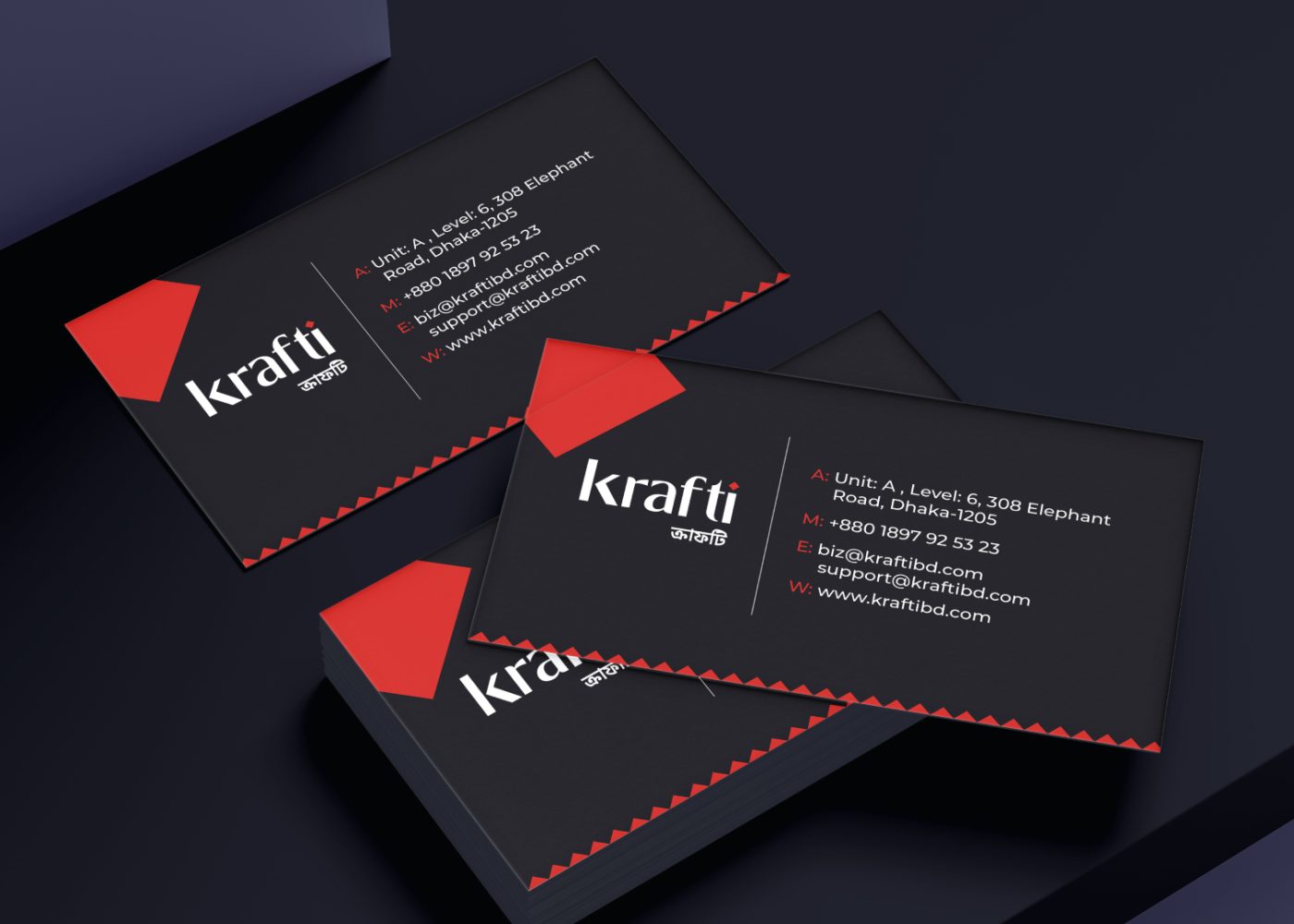
For Bangla and English publishing, choose fonts that support the required scripts and test mixed-language layouts.
Check font availability in the team’s editing software and clarify any licensing or subscription requirements.
The social kit should follow your broader corporate identity design system so that posts, websites, and business documents remain visually related.
5. Reusable Post Templates for Real Content
Build templates around recurring communication tasks.
Depending on your business, these could include:
- Educational tips and frequently asked questions.
- Service explanations.
- Product features.
- Announcements and events.
- Approved testimonials.
- Project or portfolio stories.
- Offers and promotional campaigns.
- Team introductions.
Each template should have a clear purpose and editable areas for text, imagery, and calls to action.
Test realistic headlines, images, and body copy. A layout that works only with a two-word headline will create problems when the actual topic needs a sentence.
Provide examples showing how much content fits comfortably.
6. Carousel Templates With a Complete Reading Flow
A carousel needs more than a branded opening slide.
Include layouts for the opening, explanatory slides, examples or evidence, and a relevant closing action.
Explain how to continue a headline, handle a longer explanation, introduce a new section, and keep navigation consistent.
Avoid forcing every topic into the same number of slides. The structure should accommodate the content while keeping the sequence understandable.
Test the complete carousel as a set on a phone.
For educational content, confirm that diagrams, screenshots, and supporting captions remain readable after export. Keep factual charts and figures accurate rather than treating them as decorative elements.
7. Story Templates and Other Vertical Layouts
Include vertical templates for the content your business expects to publish.
These may cover announcements, short tips, event reminders, product introductions, testimonials, and prompts for audience interaction.
Keep important content clear of interface overlays and placement-specific controls. Confirm the current safe areas for each intended use.
A portrait feed graphic and a full-screen vertical story can need different arrangements. Simply stretching the background may leave text in an awkward or obscured position.
Include multi-frame story examples where the message needs a sequence.
Supply highlight covers or equivalent organizational assets only where they are relevant to the platforms and account features in use.

8. Video Covers and Relevant Motion Assets
If video is part of your publishing plan, include the branding elements needed to produce it consistently.
Useful deliverables can include:
- Thumbnail or cover layouts.
- Opening title treatments.
- On-screen headings and name labels.
- Subtitle and caption styling.
- Closing cards and calls to action.
- Approved logo animation where required.
Agree whether the package includes static designs, editable motion files, or completed animation exports.
Check covers in the actual placements where they will appear. A cover that looks good full-screen may lose important details in a cropped preview.
Keep branding practical enough that it does not make every short video unnecessarily difficult to produce.
9. An Approved Visual Asset Library
Provide the reusable ingredients behind the templates.
These may include icons, illustration styles, shapes, patterns, image treatments, product cutouts, and approved photographs.
Explain which elements are fixed and which can change.
For photography, show suitable subjects, lighting, composition, and cropping. Include examples of imagery that fits the brand and imagery that creates an inconsistent impression.
Record where assets came from and any relevant usage restrictions.
Distinguish actual project or customer photographs from illustrative imagery where the context could otherwise be misleading. Obtain appropriate approval for testimonials, customer identities, and identifiable project material.
10. Messaging and Profile-Copy Guidance
Visual consistency works better when the wording is also coherent.
Include approved business descriptions and adaptable bio versions for the selected platforms. Keep contact information and destination links consistent.
A concise messaging guide can cover:
- Tone and level of formality.
- Preferred service names and terminology.
- Examples of useful headlines.
- Caption structure.
- Calls to action.
- How to describe evidence and results accurately.
For bilingual publishing, explain language priorities and how mixed-language content should read.
A few completed examples are valuable. Show how the same brand would explain a service, announce an event, and respond to a common question.
11. Accessibility and Readability Guidance
Build readable layouts into the kit.
Use clear typography, suitable contrast, and enough space for information to remain understandable on a small screen.
Include instructions for preparing alternative text where the platform supports it and for captioning relevant video content.
W3C’s accessible writing guidance explains that image alternatives should communicate the image’s information or function and that multimedia may need captions and transcripts. W3C
Keep essential details available in accompanying text where practical, rather than relying entirely on wording inside a graphic.
Test realistic posts with the team. A technically valid export can still contain text that is difficult to read.
12. Editable Files, Exports, and Handover Instructions
Confirm the editing environment before work begins.
If your team uses Canva, the kit should include accessible editable templates in the agreed workspace. If it uses another design application, agree the appropriate source files and required software.
Clarify paid features, fonts, plugins, linked assets, and other dependencies.
Provide ready-to-use exports alongside the editable masters. Use clear filenames that identify the template, platform or placement, and version.
Include short instructions for replacing images, changing text, adapting layouts, and exporting.
Have someone from your team complete those tasks during handover. That exercise reveals problems a polished preview may not show.
Keep a Platform and Export Register
A complete package should identify where each asset belongs.
| Asset group | What to document |
|---|---|
| Profile graphics | Platform, account type, dimensions, crop preview, file format |
| Feed graphics | Intended placement, aspect ratio, export size, text limits within the design |
| Carousels | Slide layouts, sequence rules, export settings |
| Stories and vertical video | Placement, safe-area guides, cover adaptations |
| Channel banners | Device previews, safe area, export requirements |
| Editable masters | Application, access location, owner, required assets |
Use current platform documentation when preparing the register.
Avoid assuming that one export works everywhere. Requirements and display treatments can change, so include a review date and responsibility for future checks.
How Many Templates Should You Request?
Count the recurring jobs your team needs to do.
A focused starting package might contain six template families: educational posts, service explanations, evidence or testimonials, announcements, carousels, and stories.
That is an illustrative scope, not a universal minimum.
Define what the supplier means by a “template.” One original layout adapted into several sizes is different from several distinct layouts.
Also clarify whether carousel opening, middle, and closing slides are counted separately.
Evaluate usefulness through completed examples. A smaller kit that supports your content plan can be more practical than a large folder of repetitive designs.
What Is Usually a Separate Service?
A branding kit provides reusable assets and guidance. Ongoing production and management need their own scope.
Confirm whether the project includes strategy development, copywriting, photography, video editing, monthly content creation, scheduling, community management, and advertising.
An editable testimonial layout does not include gathering approved testimonials. An advertising template does not include campaign setup or media spend.
Clarifying these boundaries helps you compare proposals accurately and assign responsibilities.
If you need continuing support, agree how the kit will connect with your content calendar, approval process, and publishing workflow.
A Practical Example for a Service Business
Consider a fictional business that publishes service explainers, educational tips, project examples, and short videos.
Its kit could include matching avatars and covers, a service-post layout, an educational carousel, an approved project-story template, a vertical story sequence, and a video cover system.
The guide would explain how to change the topic, select imagery, use typography, and place the next-step message.
During handover, a staff member creates a new service post, a longer carousel, and a story from the templates.
If those tasks require rebuilding the layouts, the team and designer can resolve the gaps before acceptance.
The value is in the repeatable workflow the kit enables.
What Should You Provide Before Design Begins?
Prepare your existing logo files, brand guidelines, platform list, and examples of current content.
Explain who will create posts, which software they use, the languages required, and the content types you publish most often.
Provide realistic sample copy, approved images, and relevant audience information.
Describe existing difficulties: inconsistent typography, unreadable graphics, missing vertical versions, or repeated dependence on the designer for small changes.
These details help the supplier propose a useful package and make acceptance criteria concrete.
Final Handover Checklist
- The kit covers our selected platforms and recurring content types.
- Logo and avatar versions work at practical display sizes.
- Profile graphics have been checked in relevant previews.
- Colours, fonts, and layout rules are documented.
- Templates work with realistic short and longer copy.
- Carousel and vertical formats include complete examples.
- Video assets are included where agreed.
- Editable files open in the team’s working environment.
- Required fonts, assets, and usage permissions are understood.
- Export instructions and platform requirements are documented.
- A team member can create and export new content.
- An owner is responsible for maintaining the kit.
FAQ
No. A logo package supplies identity assets. A social media kit applies those assets through profile graphics, templates, layout rules, and working files for social content.
Yes, provided the logo and identity assets are suitable for the intended uses. Review small-size readability, background versions, colours, and typography before creating the templates.
They should be agreed explicitly when your team needs to create new content. Confirm the application, access, dependencies, and handover instructions before commissioning the work.
A coherent identity can support presentation and recognition. Buyers also need accurate information, relevant evidence, clear terms, and an experience that matches the offer.
Does every platform need a completely different design?
A complete social media branding kit combines recognizable visuals with practical tools for ongoing content creation.
Choose assets around your publishing needs, test the templates with real content, and make editable-file access part of the handover.
M4YOURS IT’s social media branding kit services include profile graphics, post templates, story designs, campaign layouts, visual elements, and design guidelines. M4YOURS IT
Share your brand assets, priority platforms, and content workflow to discuss a kit that supports your team’s everyday publishing.