



A student recruitment platform for agencies should help counsellors research suitable options, manage applications and keep responsibility clear throughout the student journey. Start by identifying whether your main requirement is access to institution application routes, better internal operations or a connection between both.
For a smaller agency, M4YOURS IT recommends reliable student records, owned follow-up tasks and a clear way to track each application. Evaluate partner platforms for the destinations and institutions you serve, then connect the required information through supported integrations or an agreed staff process.
Choose around the work your team must complete each day. The useful result is a student record that explains the history, current applications, responsible staff and next action.
Understand the Two Main Platform Roles
“Student recruitment platform” can describe products with different purposes. Some provide access to programmes and application channels; others organize the agency’s own work. A proposed setup may combine these functions.
| Platform role | Main purpose | What to verify |
|---|---|---|
| Recruitment partner platform | Research and submit through the provider’s available institution relationships | Relevant programmes, partner approval, submission process and applicable terms |
| Agency CRM or operations platform | Manage enquiries, counselling, tasks, applications and reporting | Staff workflows, permissions, data relationships and export |
| Connected agency setup | Maintain agency-wide history while tracking several application routes | Matching records, external references, update responsibilities and failure handling |
For example, ApplyBoard’s recruitment partner guide describes programme search, student profiles, application submission and status tracking. LeadSquared’s overseas education offering describes enquiry capture, counsellor assignment and multiple application opportunities. Assist
Use these examples to identify the capabilities your provider should demonstrate for your specific workflow.
Which Setup Fits Your Agency?
| Your situation | M4YOURS IT recommendation |
|---|---|
| You need additional institution application routes | Evaluate recruitment partner platforms against destinations, programmes and approval requirements |
| Staff struggle with enquiries and callbacks | Establish CRM records, clear ownership and daily task views |
| You submit through several partners and direct agreements | Keep a main agency record with separate applications and identified submission routes |
| Your current CRM supports the team well | Assess the specific connections and application records it needs |
| Students repeatedly request updates or resend documents | Evaluate controlled document collection and an appropriate student portal |
| Important workflows remain unsupported after product evaluation | Scope a custom extension or platform around those requirements |
For a smaller team, our student recruitment software guide can help define a manageable initial scope.
What Should the Platform Manage?
A Clear Student Identity
A student may submit a website enquiry, attend an event and later contact a counsellor. Preserve those interactions while maintaining a clear main identity.
Agree on duplicate matching and review rules. Returning students and shared family contact details need careful handling before records are merged.
Separate Applications for Each Opportunity
One student may apply to several programmes through different routes. Keep each application linked to the student with its own institution, programme, intake, status and owner.
An agency working with one student and three applications should be able to report one student and three application files. Retain the earlier enquiry and counselling history alongside those files.
Useful Daily Views for Staff
Counsellors and coordinators should be able to find their next actions without rebuilding a list from several inboxes.
| Working view | What staff should see |
|---|---|
| New enquiries | Records needing review, ownership or first contact |
| Due today | Calls, callbacks, reviews and agreed follow-up |
| Appointments | Current bookings, changes and attendance outcomes |
| Documents | Requested items, received files and outstanding reviews |
| Applications | Current stage, submission route, owner and next action |
| Exceptions | Failed transfers, unclear matches and unresolved handovers |
Connect enquiry capture to the relevant record and staff member. Our education consultancy website with CRM guide explains how to test that journey.

Evaluate Programme Search and Application Coverage
Assess coverage using the students your agency serves. Prepare representative profiles, preferred study levels, destination interests and intake plans.
Ask the provider to demonstrate:
- Relevant institutions and programmes available through the account.
- Current intake and application information.
- Search filters that help counsellors form a shortlist.
- The source and review date of important programme information.
- The submission route and support responsibility.
- What happens when a programme becomes unavailable or requirements change.
Use platform recommendations to support counsellor review. Confirm current institution requirements and explain the basis of the shortlist to the student.





Check Partner Approval Before Planning Submissions
Confirm what account registration enables and what requires further approval. ApplyBoard’s onboarding documentation, for example, states that a business profile must be approved before student applications can be submitted or commissions earned. Assist
Include the provider’s actual approval requirements in your onboarding plan. Assign a person to prepare the business information and confirm when the required functions become available.

Track Direct and Partner Applications Consistently
An agency may use a direct institution agreement for one application and a recruitment partner for another. Its internal record should explain where the work was submitted and who is responsible for the next step.
| Information | Why it matters |
|---|---|
| Agency application ID | Identifies the file within your operating process |
| Submission route | Distinguishes the institution or partner channel used |
| External reference | Connects the agency record to the provider’s application |
| Submission and update dates | Shows when recorded events occurred |
| Status source | Identifies where the latest update came from |
| Responsible staff member | Makes follow-up ownership clear |
| Next action and due date | Explains what needs to happen next |
Ask whether updates are supported through an API, approved connector, export or a controlled manual process. Have the provider demonstrate the available route.
For manual updates, record the source and time of the check. For automated updates, define which system controls each field and how staff handle conflicting or failed updates.
Make Student Updates and Document Requests Useful
A student portal can provide a controlled place to view requests, upload files and see approved progress updates. Start with actions the team can maintain consistently.
Keep document statuses clear:
| Status | Meaning |
|---|---|
| Requested | The team has asked for an item |
| Received | A file has arrived |
| Under review | A responsible staff member is checking it |
| Accepted | The reviewer confirms it meets the request |
| Further action required | Staff have explained what needs correction or replacement |
Link each request to its purpose and application where appropriate. Staff should review a received file before the student is told that the requirement has been satisfied.
Decide which internal notes students can see. Send updates that reflect verified progress and provide a clear route for questions.






Clarify Access, Data Retrieval and Ongoing Responsibility
Agree on access for counsellors, application coordinators, branch managers, finance staff and any external agents involved.
Demonstrate what a restricted user can view, change, download and share. Review document access alongside access to the main student record.
Ask for a usable export containing the required relationships, history and references. Confirm account ownership, support responsibilities, staff offboarding and how the agency can retrieve its records if the arrangement changes.
For a custom platform, institution access still requires appropriate relationships and approvals alongside the software. Define those responsibilities separately from development deliverables.
Review Fees and Commission Workflows in Writing
Compare registration, subscription, application, integration and optional service charges separately. Use your expected workload and users when requesting the cost proposal.
If commission tracking is required, maintain distinct operational states:
- Expected amount based on the relevant agreement.
- Eligibility checked by the responsible staff member.
- Claim submitted with the required evidence.
- Amount confirmed or queried.
- Payment received and reconciled.
- Any adjustment recorded with its reason.
For example, ApplyBoard’s quick-start guide describes commissions being processed after enrolment is confirmed with the institution. Obtain the current agreement and claim requirements for the arrangement you use. A Quick Start Guide – Assist
Assign a finance owner to verify the records. Keep a student’s offer, confirmed enrolment and a received commission payment distinguishable in reports.
A Demonstration Scenario That Reveals Important Gaps
Give each provider the same fictional case:
- A website enquiry arrives, followed by another enquiry from the same student.
- The assigned counsellor is unavailable, so a fallback owner receives the work.
- The student attends counselling and receives an agreed shortlist.
- Staff create two applications: one through a partner platform and one through a direct route.
- A requested document arrives and is returned for correction after review.
- An external application update reaches the agency record through the proposed process.
- A failed update becomes visible to the responsible person.
- Management reviews unique students, application files and unresolved actions, then retrieves an export.
Ask staff to explain the history, owner and next action at each stage. Check that reports reflect the different routes and events correctly.

What Should the Management Dashboard Show?
| Measure | Definition to agree |
|---|---|
| New unique enquiries | New student identities recorded in the period after duplicate review |
| Students reached | Unique students with evidence of the agreed two-way contact |
| Counselling attendance | Recorded attendance within a defined appointment group |
| Applications submitted | Files confirmed as submitted through an identified route |
| Outstanding requirements | Unresolved items with an owner and review or due date |
| Enrolments | Outcomes confirmed through the agreed source and evidence |
| Financial progress | Expected, confirmed and received amounts kept distinguishable |
Use consistent reporting periods and allow time for each student group to progress. A student may have several applications and several contact attempts while remaining one person in the relevant unique count.
Pilot the Setup Before Expanding
Phase 1: Agree on the Records and Routes
List the enquiry sources, direct agreements, partner platforms, staff roles and application stages. Define the first workflow and how the agency will verify updates.
Phase 2: Prove a Representative Journey
Use a limited team and sample records covering different routes, duplicate enquiries, document corrections and staff handovers. Include failure recovery and export in the demonstration.
Phase 3: Confirm Daily Operation
Have staff use the agreed working views, reconcile sample reports and complete training. Assign ownership for configuration changes, support and recurring record checks.
Expand after the pilot shows that the agency can maintain the process and understand its operating cost.
How M4YOURS IT Can Help
M4YOURS IT’s education consultancy services include website development, CRM implementation, automation and analytics. M4YOURS IT
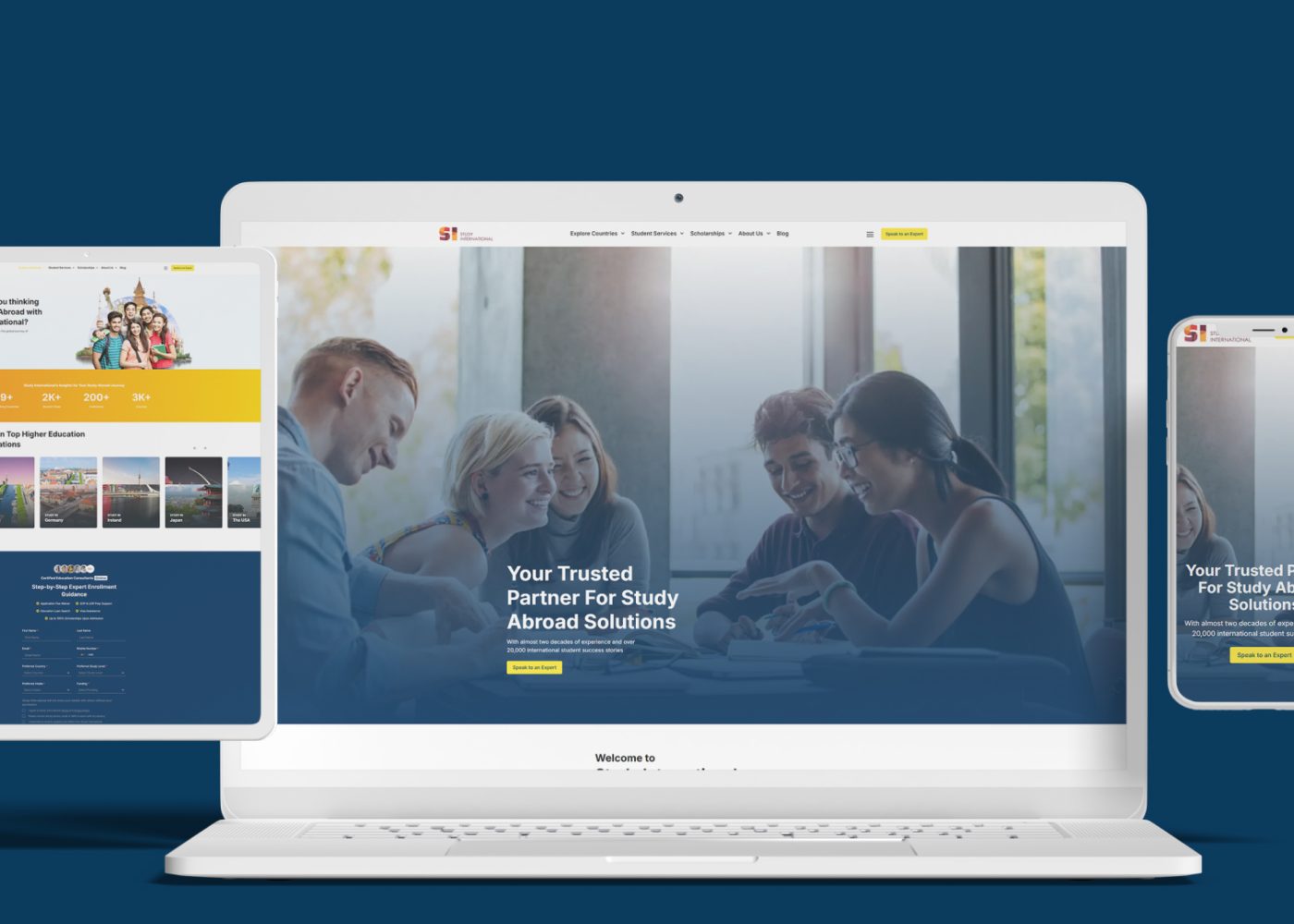
Its Study International custom web application portfolio describes a project connecting public content with administration, student leads and enquiry workflows. This illustrates an agency platform scope that can be assessed alongside the external application channels a consultancy uses. M4YOURS IT
Begin with the gap you need to solve, then define the student records, submission routes and staff actions. Demonstrate a complete case and expand through clear operating responsibilities.
Contact M4YOURS IT to plan a student recruitment platform for your agency around counselling workflows, application channels and reporting needs.
Your next project
Let’s make your brand recognizable.
Have a business in mind? Tell us about your ideas, your audience, and the identity you want to create.
Prefer a direct conversation?
FAQ
It can provide programme research, application handling and recruitment operations. Products differ: some focus on partner application routes, others on internal CRM workflows, and some combine several functions.
A partner platform provides application routes and services available under its arrangement. An agency CRM organizes the consultancy’s records, responsibilities and daily work. Evaluate how the required information connects between them.
Choose around the first operational gap. Assess relevant application coverage when access is the issue, or CRM ownership and follow-up when daily work is the issue. Demonstrate the complete journey before expanding.
Design separate applications linked to the same student. Record the route, external reference, latest verified status, responsible staff member and next action for each file.
Check the provider’s onboarding rules. Registration, business approval and access to particular functions can be separate stages. Confirm the requirements before planning live application work.
Request written details for registration, subscriptions, application charges, integrations and optional services. Review the complete operating arrangement using the workload and functions your agency requires.
Use its search and application tools to support the process. Counsellors should verify current requirements, consider the student’s goals and explain the proposed options before submission.
Ask the provider to demonstrate supported forms, APIs, connectors or export processes. Define matching, ownership and failure handling for the exact connection your agency needs.
Evaluate existing products and connections first. Custom development can address important remaining workflows, with maintenance, data retrieval and external relationship responsibilities included in the scope.
Test a complete student case across relevant routes, including duplicate enquiries, document review, staff handovers, update failures and reporting. Include restricted-user access and usable export.