Share






















You can test your website on a small budget by choosing one important customer journey, inviting a small group of relevant people, and watching them attempt realistic tasks. Use the tools you already have, record where people struggle, make focused improvements, and test again.
The most valuable discovery might be simple: customers cannot find your prices, misunderstand a service name, or hesitate because the enquiry form never explains what happens next.
A focused UI/UX design review can help turn those observations into a clearer experience. You can also begin collecting useful evidence yourself with the plan below.
“Is our website good?” is too broad to guide a useful session.
Choose a question connected to an action customers need to complete:
Pick one audience and one journey for your first round. Trying to assess every page, device, language, and customer type at once makes a small study difficult to interpret.
Write down what successful completion would look like before testing. For a service enquiry, that might mean choosing a relevant service, understanding the next step, and submitting a test enquiry without assistance.
This gives your website design decisions a practical goal. Instead of debating whether a page feels modern, you can investigate whether customers understand and use it.
Useful participants have a realistic reason to use the website. An enthusiastic colleague may know your service names and navigation too well to reveal a first-time visitor’s difficulties.
Depending on your audience, recruit through existing customer relationships, relevant community groups, or people who have recently considered a similar purchase. Participation should be optional.
Use a short screening conversation:
GOV.UK’s recruitment guidance recommends involving actual or likely users and considering people’s access needs. For your study, include relevant differences in experience, digital confidence, and ways of accessing the website. GOV.UK
Around five relevant participants can be a manageable starting point for a focused qualitative round with one audience. Treat that as a planning choice, not a guarantee that you will discover every problem.
Different customer roles, languages, devices, or access needs may require additional participants and separate rounds.
Small qualitative studies help uncover difficulties and explain behaviour. They cannot establish a reliable conversion rate for your whole audience or prove how common an issue is among all customers. Nielsen Norman Group makes this distinction between qualitative discovery and quantitative measurement. NN/G
Your first round can use an existing laptop, a quiet space or familiar calling tool, and a simple notes document.
The following is an illustrative cash allocation in Bangladesh taka, not a market quotation or a required price.
| Item | Planning assumption | Cash allocation |
|---|---|---|
| Participant incentives | Five people × BDT 800 | BDT 4,000 |
| Data or travel reimbursement | Shared allowance across the round | BDT 1,000 |
| Calling and note-taking tools | Existing tools, assuming no additional purchase | BDT 0 |
| Contingency | Scheduling changes or small additional expenses | BDT 1,000 |
| Total | Illustrative allocation | BDT 6,000 |
Adjust incentives for the audience, session length, and effort involved. Explain that payment recognises participants’ time and does not depend on positive feedback or successful completion.
Staff time sits outside this cash total. Allow time for recruitment, preparation, a pilot, sessions, analysis, implementation, and retesting. Specialist recruitment, interpretation, or additional participation support may need a separate allocation.
If the budget is tighter, narrow the journey and run a smaller initial round. Keep a plan to recruit again after making improvements.
A task should explain what the customer wants to accomplish.
For example, “You need help updating an outdated business website. Find out whether this company offers a suitable service and how you would discuss your project” leaves room to observe the visitor’s choices.
“Click Services, choose Website Redesign, then press Get a Quote” supplies the route you need to investigate.
Moderated usability testing involves observing people attempt tasks. GOV.UK’s guidance recommends believable goals that help participants act naturally without giving away the answer. GOV.UK
Adapt examples like these to your selected audience:
| Website type | Example task prompt | What to observe |
|---|---|---|
| Online shop | Find a suitable backpack within the stated budget and check whether it can arrive before a fictional trip. | Product discovery, delivery information, and confidence in the choice |
| Consultancy | Find out whether the company can help with your stated business problem and how to discuss it. | Service understanding, useful information, and the enquiry route |
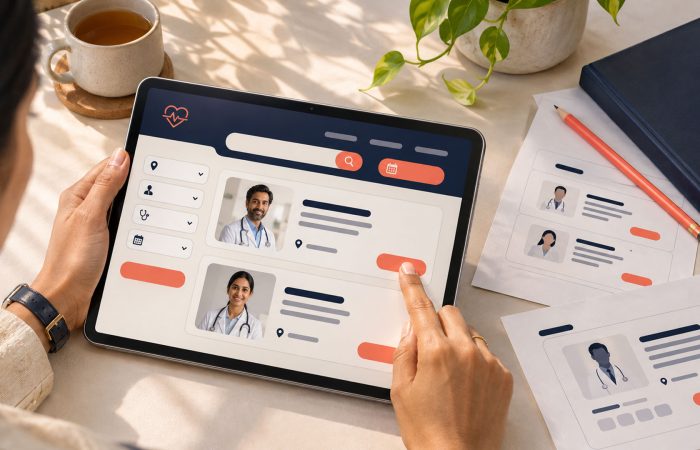
| Healthcare website | Using a fictional scenario, find a doctor at a suitable branch and check available appointment options. | Specialty labels, location filters, and booking clarity |
| SaaS product | Use the demo account to create a project and add the first task. | Setup steps, guidance, and recognition of completion |
Choose two or three tasks that fit the journey. These examples are alternatives, not a script that every participant must complete.
Decide where each task ends. Otherwise, one person may stop at a contact page while another submits a form, making your observations harder to compare.
Check the test link and the intended route before inviting customers. A colleague can pilot the script and setup, although that rehearsal does not replace customer sessions.
For checkout, account creation, or booking, use a suitable test environment and fictional details. Agree where participants should stop if you are testing a live website.
Teams handling complex accounts or transactions may need web application development support to prepare safe demo accounts and realistic test flows.
Before the session, explain its purpose, who will observe, what information you will collect, how it will be used, and how long you will retain it. Obtain agreement before starting and ask separately about recording. Participants should understand that they can stop. GOV.UK
Recording is optional. A facilitator and note-taker can capture useful observations without it.
Where practical, let people use their usual device and assistive technology. Check that remote sharing works without exposing unrelated messages or accounts.
Include customers with disabilities whose needs are relevant to your audience. Combine their observations with accessibility standards evaluation; a small customer test does not establish accessibility conformance. W3C recommends using both approaches. W3C
An opening might be:
We want to understand how this website works for you. If something feels confusing, that helps us identify what to improve. Please approach each task as you normally would.
Here is an example 35-minute session plan. Adjust it for task complexity and participants’ needs.
| Time | Activity |
|---|---|
| 5 minutes | Welcome, explain the session, and confirm agreement |
| 5 minutes | Ask about relevant experience and usual browsing habits |
| 20 minutes | Observe two or three realistic tasks |
| 5 minutes | Ask follow-up questions and close |
Read one task at a time. Give the participant room to explore before asking questions.
Useful prompts include:
Invite participants to explain their thinking if comfortable. Adapt the approach if speaking while working makes the task harder.
Avoid coaching with questions such as “Did you notice the button at the bottom?” Once you point out the answer, you can no longer treat that attempt as independent completion.
If someone becomes stuck, note what happened. You can then offer help to investigate the next stage, provided your notes distinguish assisted and unassisted progress.
A participant may say the website looks professional while struggling to find essential information.
Record the task, the observed action, where difficulty occurred, and any help provided. Ask what the person expected at the point of confusion.
Keep timing in context. Thinking aloud, interruptions, and unfamiliar test setups can change task duration. A longer attempt can be a useful clue, but these sessions do not provide a precise speed benchmark.
Review the notes while the sessions are still fresh. Group observations by task or problem rather than creating a long, disconnected list for each participant.
Separate what you observed from your explanation. “The participant opened three service pages and could not locate pricing information” is evidence. “The pricing label is unclear” is a hypothesis to investigate.
The following worksheet contains fictional examples, not findings from actual customer sessions:
| Observed behaviour | Consequence | Possible improvement | Retest question |
|---|---|---|---|
| Participant repeatedly opens unrelated service pages. | Cannot identify the right service. | Revise service names and add short descriptions. | Can a new visitor select a relevant service without help? |
| Participant stops at an unexplained mandatory field. | Enquiry remains incomplete. | Explain the field or remove it if unnecessary. | Can the participant continue confidently? |
| Participant searches for confirmation after submitting. | Unsure whether the request succeeded. | Provide a clear confirmation and next-step explanation. | Can the participant explain what happens next? |
Prioritise using the consequence for the customer, the strength of your evidence, and the effort required to investigate or fix the issue.
A practical order is:
One observed blocker can deserve immediate attention. You do not need a majority vote before investigating a broken form or an inaccessible control.
Describe frequency honestly: “Observed in two of five sessions” reports what happened in your round. “Forty percent of all customers have this problem” claims more than the study supports.
Assign each chosen issue an owner and a retest question. Focused website redesign and optimisation can then address the specific barriers you observed.
Choose a small number of important improvements and test the affected journey again.
Where possible, involve new participants with similar characteristics. Returning participants can provide useful feedback, but their familiarity may make the revised route easier to navigate.
Keep the task goal comparable. If you test finding delivery information first and buying an unrelated product later, you have changed too much to interpret the difference clearly.
Check whether participants can now complete the task, understand the next step, and recover from problems. Record any new difficulties introduced by the change.
After release, use relevant business data to monitor the journey over time. Enquiry quality, completed bookings, and support requests may offer useful context alongside analytics.
A few customer sessions do not prove a conversion uplift. If you need a quantitative comparison or an A/B test, plan it separately around the decision, traffic, and uncertainty involved.
| Your situation | Recommended first step |
|---|---|
| You receive visits but few enquiries. | Test service understanding, essential information, and the enquiry journey. |
| Mobile visitors appear to struggle. | Recruit relevant customers who normally use phones and observe them on those devices. |
| Customers repeatedly contact support. | Test the task behind those requests, including how people recover from errors. |
| You are considering a redesign. | Test the existing journey to identify problems the redesign should address. |
| You have a limited recruitment budget. | Narrow the audience and task scope, then plan another round after improvements. |
| You need evidence about accessibility. | Include relevant disabled users and arrange an appropriate standards evaluation. |
Choose an approach based on the uncertainty you need to resolve. A survey can collect opinions, analytics can show recorded patterns, and a customer session can reveal how a task unfolds. Use each for a clear purpose.
Your next project
Have a business in mind? Tell us about your ideas, your audience, and the identity you want to create.
Prefer a direct conversation?
It can be a useful first qualitative round for a narrow journey and audience. It is not enough to represent every customer group, discover every issue, or estimate population-level performance. Plan further rounds when the audience or findings require them.
Match recruitment to your question. Existing customers suit repeat purchases and support tasks. First-time or prospective customers suit discovery and initial enquiries. Familiar customers may already know information that newcomers need to find.
No. Structured notes can support useful analysis. If recording would help, explain what you will capture and obtain agreement first. Offer a workable alternative when a participant prefers not to be recorded.
Yes. A prototype can help you investigate navigation, wording, and expectations. Make its limitations clear and avoid treating missing functionality as a participant failure. Test the implemented journey later, especially forms, errors, and confirmation behaviour.
Start with one important journey, recruit people who have a realistic reason to use it, and watch them try. Turn the clearest problems into a short improvement list, then check whether the changes help.
M4YOURS IT can help you plan usability sessions, review customer journeys, and implement focused UX improvements.
Book a free consultation to discuss the task your customers should be able to complete more easily.
Adding {{itemName}} to cart
Added {{itemName}} to cart